PTZ Wizard
Professional PTZ camera fleet management for broadcast, AV, and production environments.
The Problem
Managing a fleet of PTZ cameras shouldn't feel like herding cats. Yet for anyone working in broadcast production or corporate AV, that's exactly what it can be like. You've got dozens of cameras spread across a venue, each with its own configuration, and no practical way to verify they're all set up consistently, or to push standardised settings to all of them at once.
Before PTZ Wizard, checking camera settings meant logging into each camera individually through a web interface, manually comparing parameters, and hoping you didn't miss anything. Uploading a new configuration? Same story, one camera at a time, praying you don't fatfinger something on camera 17 of 69.
 Multi camera comparison interface
 The Solution
PTZ Wizard is a desktop application built firstly for professional Panasonic PTZ camera management. It brings everything you need into one place: bulk configuration uploads, side by side settings comparison, real time network monitoring, and live production integration.
Key Features
- Bulk Configuration Upload — Select your cameras, pick a configuration file, and deploy standardised settings across your entire fleet in one operation. No more repetitive manual work.
- Multi-Camera Comparison — Choose a reference camera and instantly compare its settings against every other camera in your inventory. Differences are highlighted visually, so inconsistencies jump out immediately rather than hiding in endless parameter lists.
- Real-Time Status Monitoring — A visual dashboard shows you the health of your entire camera network at a glance. Colour-coded indicators let you spot connectivity issues before they become problems during a live show.
- Matrix Router Integration — For live production environments, PTZ Wizard connects to your routing infrastructure, displaying current sources and allowing you to monitor camera parameters in context with your production workflow.
- Professional Video Preview — Direct SDI integration through DeckLink hardware brings broadcast quality video monitoring into the application, with support for streaming protocols like SRT and RTSP.
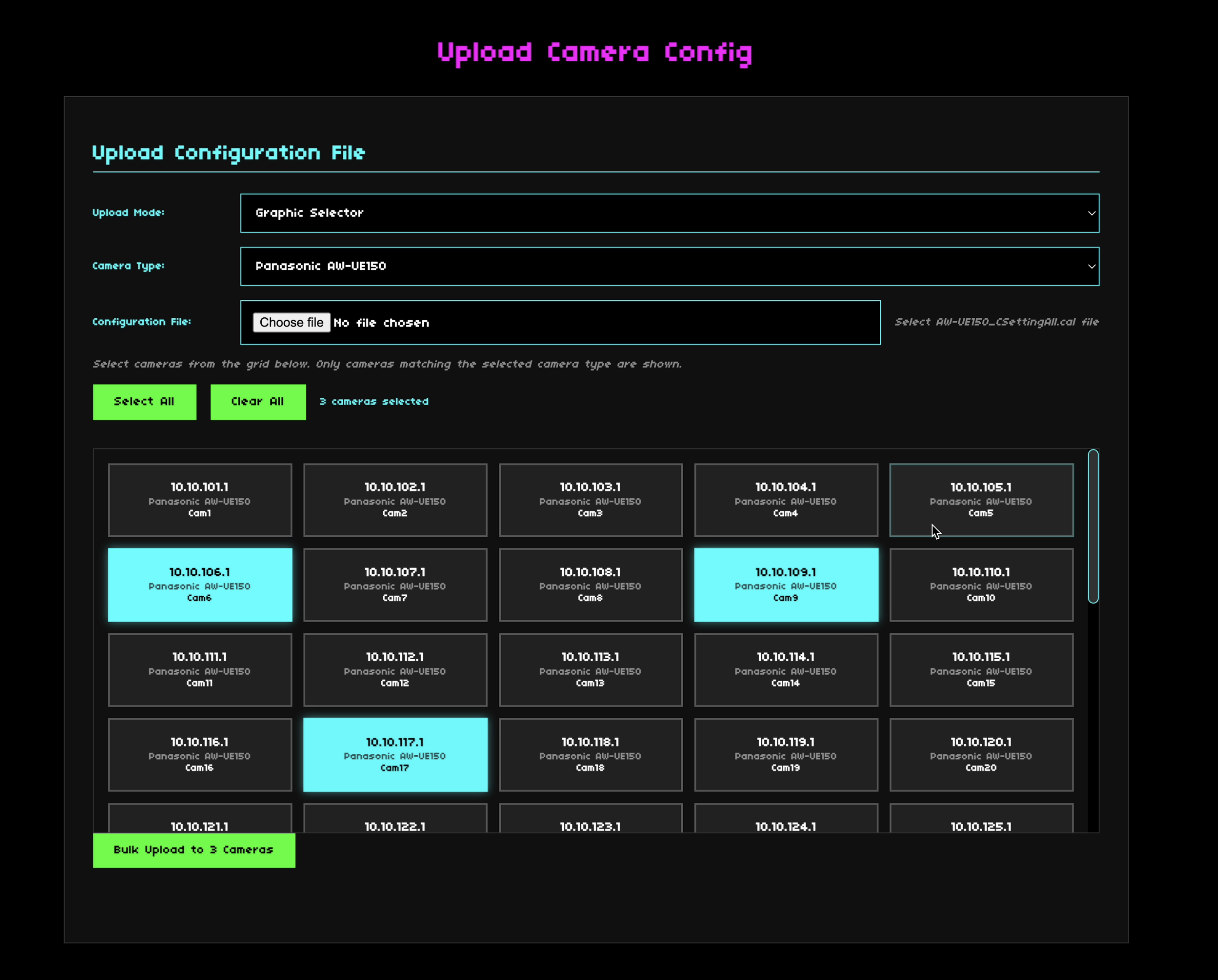 Bulk configuration upload
 Built for Performance
PTZ Wizard isn't just feature rich, it's engineered to handle the demands of large scale deployments:
- Multi-threaded processing — Scales across all available CPU cores, so operations on 50 cameras don't take 50 times longer than one camera.
- GPU acceleration — Apple's Metal framework delivers smooth, responsive video processing on macOS (with WebGL fallback for cross platform compatibility).
- Intelligent memory management — Adapts to your system's available resources.
- Network-aware batching — Groups camera operations by network topology for optimal throughput.
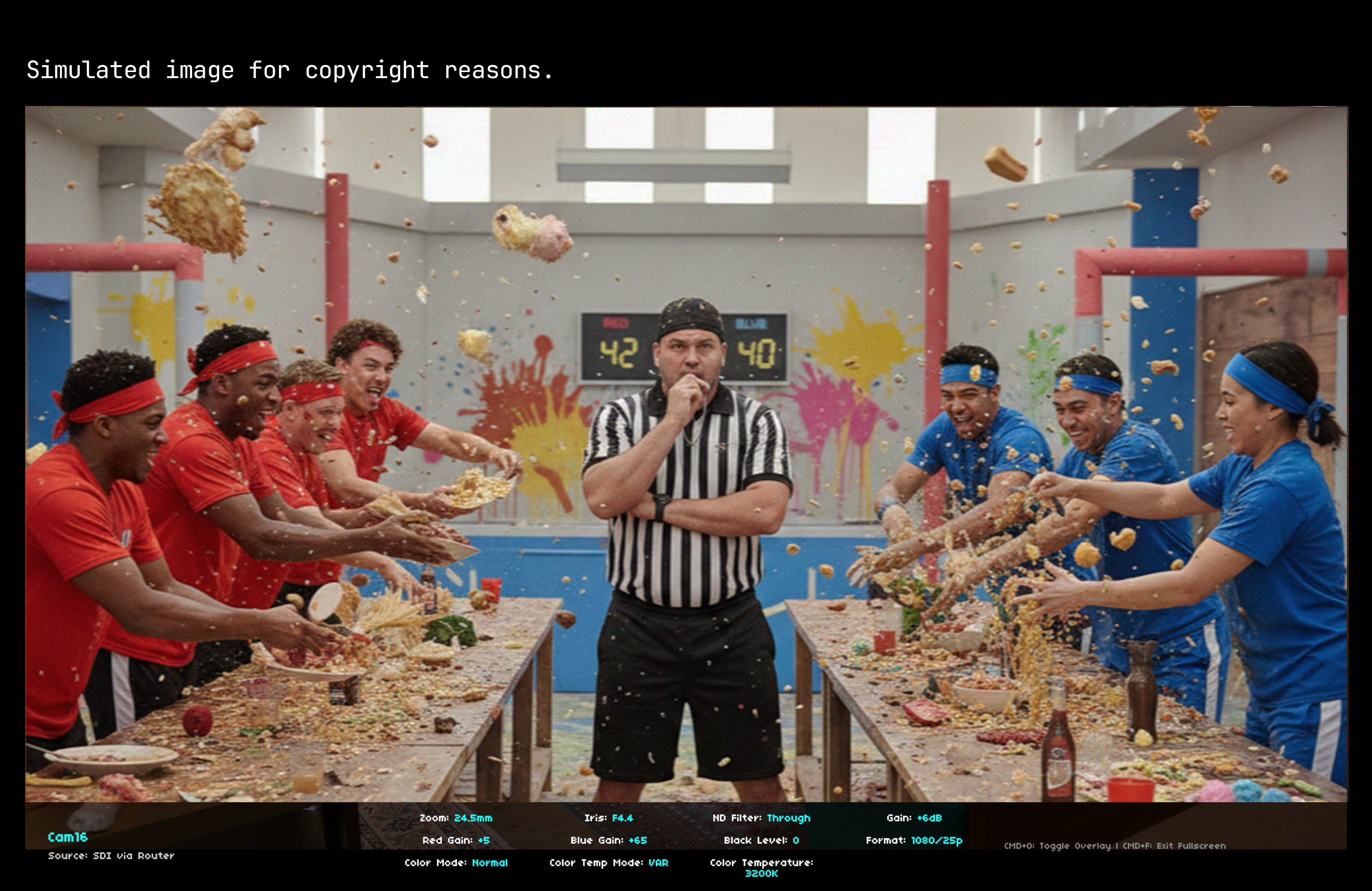 Production overlay interface
 Who It's For
Whether you're running a multi camera broadcast, managing conference room installations, or maintaining a corporate video network, PTZ Wizard turns hours of tedious camera management into minutes of focused work.
Currently for macOS. More OS and Camera brands supported in upcoming version(s).