Easily share files across multiple platforms
Brief description of the post
There’s a moment every knowledge worker dreads: you know you wrote something about this topic months ago, but where? Which app? Which folder? After years of scattered notes across dozens of tools, I finally found a system that works.
Why Obsidian?
Lorem ipsum dolor sit amet, consectetur adipiscing elit. Sed do eiusmod tempor incididunt ut labore et dolore magna aliqua. The key differentiator is how Obsidian treats your notes as plain markdown files stored locally on your device.
Unlike cloud-based solutions, you own your data completely. No subscription lock-in, no proprietary formats, no wondering what happens if the company shuts down.
The Core Principles
Before diving into the technical setup, it’s worth understanding the philosophy behind this approach. A “second brain” isn’t just a backup of information—it’s an extension of how you think.
Capture everything. The friction between having a thought and recording it should be nearly zero. If it takes more than a few seconds to open your note-taking app and start writing, you’ll lose ideas.
Connect relentlessly. Isolated notes are almost as useless as no notes at all. The magic happens when you link concepts together and discover unexpected connections.
Review and refine. A second brain isn’t write-once storage. Regular review sessions help you internalize information and keep your system from becoming a digital graveyard.
My Folder Structure
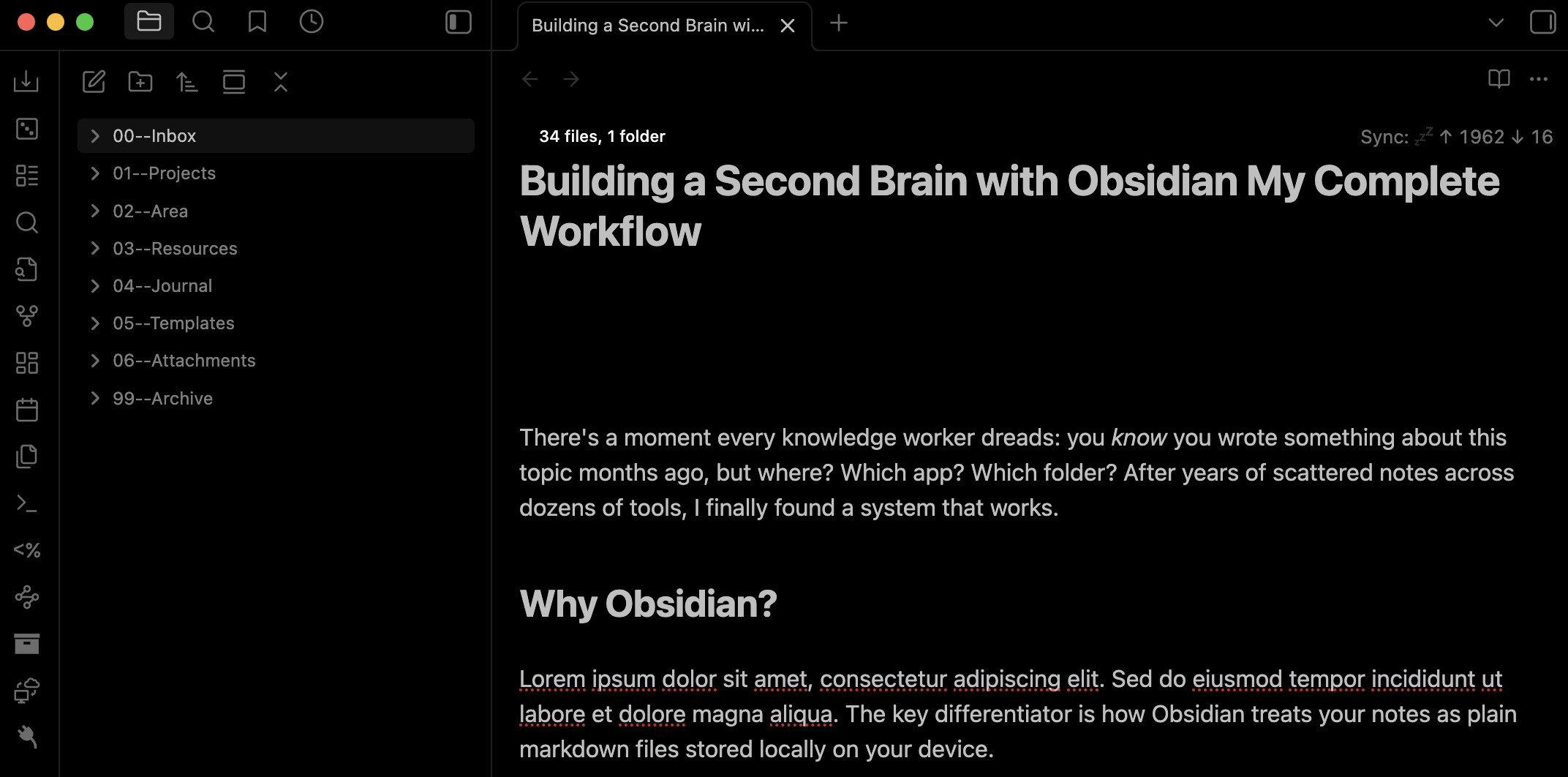
I’ve experimented with dozens of organizational schemes. Here’s what I’ve settled on after two years of iteration:
/inbox          # Quick capture, unsorted
/projects       # Active work with deadlines
/areas          # Ongoing responsibilities
/resources      # Reference material by topic
/archive        # Completed or inactive items
This structure is inspired by Tiago Forte’s PARA method, though I’ve adapted it to fit how I actually work. The key insight is separating things by actionability rather than topic.
Daily Notes: The Unexpected MVP
I was skeptical of daily notes at first. Another thing to maintain? But they’ve become the backbone of my entire system.
Each morning, I create a new daily note using a template. It includes sections for tasks, meetings, and a running log of thoughts throughout the day. More importantly, it serves as a timestamped anchor for everything I capture.
When I’m reviewing notes from six months ago, having that daily context is invaluable. I can see what else I was working on, what meetings influenced my thinking, and how ideas evolved over time.
Plugins That Changed Everything
Obsidian’s plugin ecosystem is remarkably powerful. Here are the ones I consider essential:
Templater handles all my note templates with dynamic elements like dates and prompts. The built-in templates are fine, but Templater lets you build truly sophisticated automation.
Dataview transforms Obsidian into something closer to a database. I use it to generate automatic lists of all notes tagged with a specific project, or to surface notes I haven’t touched in months.
Quick Add reduces capture friction to nearly nothing. I have keyboard shortcuts that create new notes in specific folders with pre-filled templates, all without leaving my current context.
The Weekly Review
Systems without maintenance decay. Every Sunday, I spend about 30 minutes reviewing the past week. This includes processing my inbox, updating project statuses, and most importantly—creating links between notes that should be connected.
This review time is when the second brain really pays dividends. Patterns emerge. Ideas that seemed unrelated suddenly click together. And I walk into Monday with a clear picture of what matters.
Common Mistakes to Avoid
After helping several friends set up similar systems, I’ve noticed some recurring pitfalls.
The first is over-engineering from the start. You don’t need elaborate folder hierarchies or dozens of plugins on day one. Start simple, let your needs emerge organically, then add complexity where it genuinely helps.
The second is treating note-taking as an end in itself. The goal isn’t to have beautiful, perfectly organized notes. The goal is to think better, create more, and waste less time searching for information you already have.
Getting Started
If you’re convinced and ready to try this yourself, here’s my recommended path. Download Obsidian and use it with zero plugins for at least two weeks. Just write notes. Link them when it feels natural. See what friction points emerge.
Only then should you start adding plugins and customization. By that point, you’ll know what problems you’re actually trying to solve, rather than optimizing for hypothetical workflows.
Have questions about any part of this workflow? Feel free to reach out—I’m always happy to talk about note-taking systems.